Our Life: Beginnings & Always by GBPatch APK 1.7.1 (ALL DLC INCLUDED)
MOD FEATURES
- Full Game with ALL DLC (READ MORE INFO BELOW)
DESCRIPTION
Our Life Beginnings and Always is a highly customizable life simulation visual novel spanning four distinct life stages from childhood through adulthood. Design your main character with complete control over name, appearance, personality traits, and pronouns including options for he, she, or they, with freedom to change these attributes as you grow including gender transition representation. Shape your personality through meaningful dialogue choices that characters remember throughout the story, creating authentic relationships that reflect your established preferences and history.
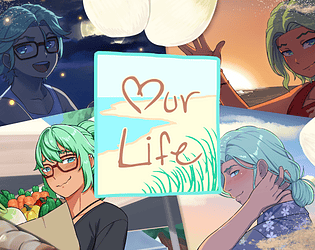
Experience childhood summers, teenage years, young adulthood, and mature life alongside neighbor Cove Holden whose personality and appearance develop dynamically based on shared experiences and your influence. Control relationship pacing from instant attraction to gradual friendship that blossoms into romance or remains platonic throughout, with every interaction contributing to Cove’s unique character evolution.
Navigate familiar everyday moments alongside major life milestones including dealing with emotions like sadness, anger, and stress met with genuine support and understanding.
The narrative features nearly four hundred thousand words delivering sixteen to twenty-four hours of content with extensive replay value through different personality combinations and relationship dynamics. Express preferences for small details like favorite drinks that characters genuinely remember, creating deeply personal storytelling experiences.